

Build service area pages only for the suburbs or towns where you can prove real demand and back the page with genuine local proof. A service area page (SAP) pairs one of your services with one place you work, targeting the customer typing “[service] in [suburb]” into Google. Skip the mass rollout. Five well-built pages will outperform fifty thin ones, every time.
TL;DR:
- Building service area pages is most effective when focusing on suburbs with proven demand and genuine local proof, avoiding mass deployment of thin pages.
- Use dedicated service area pages for mobile services visiting clients and location pages for businesses with physical premises to optimize local SEO and conversions.
- Ensure every service area page contains specific local details like photos, testimonials, or case studies to avoid being classified as duplicate or doorway content.
- Regularly update each service area page with new proof and review its performance every three to six months to maintain its relevance and search ranking.
- Align your website pages with your Google Business Profile by listing relevant service areas, using consistent schema markup, and maintaining clear internal linking.
A service area page tells Google and your reader that you deliver a specific service to a specific place, even though you don’t have a shop or office there. It exists for one reason: to match a searcher’s intent when they type something like “plumber in Frankston” or “carpet cleaning Ballarat.” That searcher isn’t looking for your head office. They want to know if you turn up in their neighbourhood, what you charge, and whether other locals rate you.
Location pages solve a different problem entirely. They tell someone where to find your physical premises, complete with an address, a map embed, and opening hours. A service area page has none of that, because there’s no storefront to point to.
Here’s the practical split:
Mobile trades (electricians, plumbers, cleaners), home services (pest control, landscaping, removals), and professional services that visit clients (mobile mechanics, in-home tutors, on-site IT support) are the classic candidates for SAPs. If customers come to you, you probably need a location page instead. If you go to them, a service area page is the right tool, according to Search Engine Land’s guide to service area pages.
A well-built SAP gives you a shot at ranking for “service + suburb” searches that a generic homepage simply can’t compete for. Google needs a dedicated page with local context to match that specific query, and your homepage talking about “servicing the whole region” won’t cut it.
Your Google Business Profile plays a supporting role here, not the starring one. Distance from the searcher still influences who shows up in the local pack, and no amount of on-page optimisation changes your physical location. What SAPs can do is capture the organic search traffic sitting below the map pack, where a huge share of clicks land, according to Search Engine Land.
The conversion upside is where SAPs earn their keep. A page written for “gutter cleaning in Bendigo” can carry a call-to-action specific to that town, mention local landmarks or suburbs, and pre-qualify the visitor before they even pick up the phone. That’s a warmer lead than someone landing on a generic “our services” page, because they’ve already confirmed you cover their area before they call.
Not every suburb deserves its own page. Building a dedicated service area page for every town within a two-hour radius is exactly how businesses end up with dozens of near-identical pages that rank for nothing and convert nobody.
Use this decision order before you commit to a page:
A hub page (something like “Plumbing services across the Bellarine Peninsula”) works well for the long tail of small towns where demand doesn’t justify individual pages but you still want to signal coverage. It can list suburbs in a short paragraph or table, link out to any suburb that does have its own dedicated page, and give Google one strong, well-linked page instead of twenty weak ones.
The rollout plan that works best: pick your five to ten highest-value areas, build those first, gather proof and reviews from real jobs in each, then expand only when you’ve got the local proof to support a new page. This isn’t about rationing effort. It’s about matching the number of pages to the amount of genuine local evidence you actually have, a principle echoed in guidance on optimising service area pages for local intent.
Every SAP needs the same skeleton, filled in with different local detail each time. Get the structure right once and you can hand this brief to any writer or contractor without babysitting the result.
URL, title tag and H1: keep the pattern consistent and literal. A URL like /services/pest-control/dandenong/, a title tag reading “Pest Control in Dandenong | [Your Business],” and an H1 that mirrors the title almost word for word. Don’t get clever here. Search intent is literal, so your page should be too.
Meta description: one sentence naming the service and suburb, one sentence giving a reason to click (fast response, local team, guarantee). Keep it under 155 characters.
Opening paragraph checklist: the first two sentences must answer three questions before the reader scrolls: what service is this, what place does it cover, and who is it for? A tradie page might open with “We provide same-day gutter repairs across Dandenong and the surrounding suburbs for homeowners dealing with storm damage or blocked downpipes.”
Local-unique content: this is where most SAPs fail. A page that just swaps the suburb name into an otherwise identical template reads as thin to both Google and your reader. Aim for 40 to 60% locally unique content on every page. That means:
Conversion elements: click-to-call buttons above the fold on mobile, a short enquiry form, and a CTA that names the suburb again (“Get a quote for your Dandenong job”). Generic buttons like “Contact us” convert worse than specific ones, a point covered in more depth in our guide to landing pages that convert.
Schema and JSON-LD: mark up the page using LocalBusiness schema with the areaServed property set to the suburb or region the page covers. This gives search engines an explicit, machine-readable signal that matches what you’ve written for the human reader. You can check your markup is valid with a free schema validator before publishing.
Length and optimisation checklist: target 600 to 1,000 words per page, a range recommended for city and service area pages to avoid thin-content flags, according to Monday Digital.
| Element | What to include | Why it matters |
|---|---|---|
| URL/Title/H1 | Service + suburb, consistent pattern | Matches literal search intent |
| Meta description | Service, suburb, reason to click | Improves click-through from search results |
| Local proof | Case study, testimonial, photo | Signals genuine coverage, not a template swap |
| CTA | Suburb-specific, above the fold on mobile | Lifts conversion over generic buttons |
| Schema | LocalBusiness + areaServed | Reinforces geographic scope to search engines |
Pro Tip: Write the local-proof section first, before the rest of the page. If you can’t find one genuine local detail to lead with, that’s a sign the suburb doesn’t have enough of a track record yet to deserve its own page.
Google treats pages built purely to funnel traffic, with no unique value beyond a swapped place name, as doorway page abuse. The fastest way to spot a doorway template on your own site is the swap test: copy the text, drop in a different suburb name, and read it back. If nothing else needs to change for it to still make sense, the page fails.
Fix it with a rule of three to five: every page needs at least three to five pieces of local detail that would be factually wrong if applied to a different suburb. A specific neighbourhood, a local access issue, a named testimonial, a permit type common in that council area, or a typical property style you see on jobs there.
Build pages through a repeatable workflow rather than one big batch:
Pro Tip: If you’re using a page-cloning plugin to speed up publishing, treat every cloned page as a draft, not a finished product. Cloning tools make duplication fast, which is exactly why they need an editorial check before anything goes live, as the WordPress Duplicate Post plugin documentation itself notes for anyone using it at scale.
Your GBP “areas served” setting is a support signal, not a ranking lever on its own. Proximity to the searcher still shapes who appears in the map pack, and no amount of GBP configuration overrides your actual location, a point Google makes clear in its own service-area business guidance.
Keep these technical basics aligned between your profile and your website:
Getting this right means your GBP listing and your website tell the same story, which matters more for trust than for any single ranking factor. Our guide to Google Business Profile for local SEO covers the full setup if you haven’t touched your profile in a while.
Structure your SAPs in a hub-and-spoke pattern: one central services or locations page linking out to each suburb page, and each suburb page linking back up to the hub and sideways to related services. For a small set of areas, list them directly in your main navigation. For a larger set, keep the hub in navigation and let it fan out to the individual pages.
This internal linking does real work. Deliberate hub-and-spoke linking measurably improves indexation and lowers the doorway-page risk compared to a scattered set of unlinked, store-locator-style pages, according to Search Engine Land.
Earn local citations ethically by getting listed in genuine local directories, sponsoring a community event, or partnering with complementary local businesses, covered in more depth in our piece on generating local backlinks.
Track these to know whether a page is pulling its weight:
Before you publish another suburb page, run it against this list:
areaServed correctly filled in?A simple mini case-study template makes gathering proof painless: note the suburb, the job type, one specific local detail (a property type, an access challenge, a council rule), and a one-line result or quote from the client. Fill that in after every job in a target area, and you’ll never run short of local proof when it’s time to write or refresh a page.
This is exactly the kind of implementation work covered hands-on inside our workshops, where you leave with a finished brief rather than a theory.
A mobile pest control business page for a specific suburb might open by naming a local pest pressure point (older weatherboard housing prone to termite entry points, for instance), include a photo from a completed job in that street, and close with a CTA offering a same-week inspection. Nothing generic survives the swap test.
A mobile IT support page for a regional business hub could reference the specific type of small businesses common in that town (cafés, trades, retail) and their common network issues, backed by a short client story naming the suburb and the fix delivered.
A removalist page for a coastal town might mention the practical realities of that specific move (narrow beachside streets, apartment access, seasonal traffic around a tourist strip) alongside a genuine testimonial from a family that moved there.
None of these examples need to be flashy. What they share is specificity: a real detail that couldn’t be copied and pasted onto a different suburb without becoming false. That’s the entire test. A page that names a suburb but describes nothing unique about working there is a doorway page wearing a local disguise, whatever industry it’s in.
The businesses that get the most value from SAPs treat each one as a small, standalone piece of proof that they’ve actually worked in that area, not as a placeholder waiting for a template to fill it in.
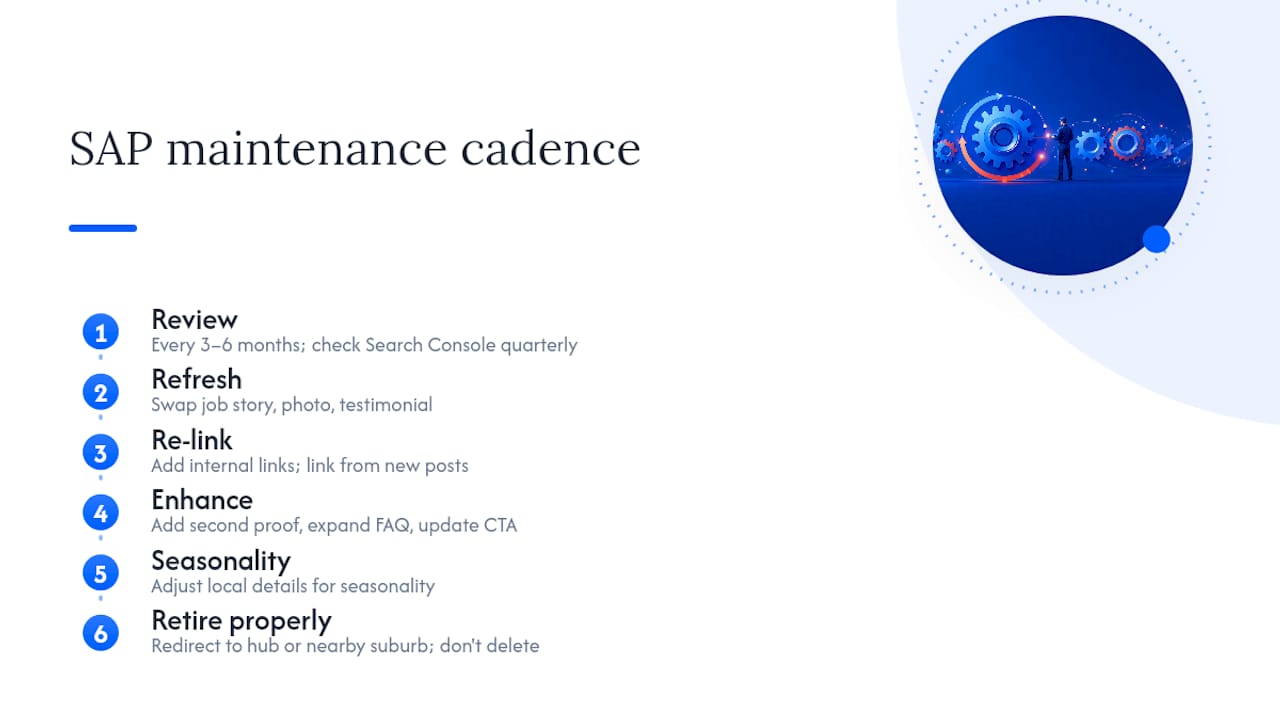
Treat SAPs as living pages, not set-and-forget assets. Revisit each one every three to six months and swap in a fresher job story, photo, or testimonial as new work comes in. Stale proof (a case study from three years ago, reviews that never change) signals to both readers and Google that the page isn’t being actively maintained.
Check rankings and Search Console data quarterly. A page that’s flatlined for six months despite genuine local proof may need a content refresh, an updated CTA, or better internal links from newer pages you’ve since published. A page that’s performing well deserves more investment, not less. Add a second local proof point, expand the FAQ section, or link it from a new blog post about a local project.
Watch for seasonal relevance too. A landscaping SAP might need different local detail in spring than in the middle of a dry summer. An HVAC page should reflect the actual seasonal demand pattern in that region, not a generic year-round pitch.
When you retire a service in an area or stop covering a suburb altogether, don’t just delete the page. Redirect it properly to your hub page or a nearby covered suburb, so you don’t leave a broken link sitting in Search Console or lose whatever authority that page had built up.
The businesses that keep SAPs performing over years, rather than watching them decay after the initial publish, are the ones that build a simple recurring calendar reminder: review, refresh, re-link, repeat.
You could hire this out to an agency, or you could learn to build and maintain it yourself and keep that budget in your business. This approach offers a practical route to skills you keep, not a one-off deliverable you’re forever paying to update.

The Write Compelling Copy workshop walks you through writing the local proof and CTA copy that separates a real service area page from a templated one, and the Drive Traffic & Get Clicks That Count workshop covers getting the right searchers to those pages once they’re live. Both run inside our structured three-phase program, blending direct mentorship with practical templates and AI prompts you can reuse on every future page you build, rather than starting from a blank document each time.
If you’re ready to stop guessing at what a good local page looks like and start with a proven brief, browse the full workshop archive and pick the one that matches where your website needs the most work right now.
A mobile pest control business page for a specific suburb, naming a local pest issue tied to housing type in that area, backed by a photo from a real job and a testimonial naming the suburb, is a solid working example. The key element in any good example is local specificity, not layout.
A service page describes one thing your business does, such as “gutter cleaning” or “tax return preparation,” without tying it to a specific location. A service area page combines that service with a specific place, targeting searchers looking for that service near them.
Your service area is the geographic zone where you’ll physically travel to deliver work, typically capped around a two-hour drive from your base per Google’s own guidance, and it should only include a suburb or town once you’ve confirmed there’s genuine demand and at least one piece of local proof to support it.