
A professional service provider website is a conversion-focused platform designed to turn visitors into paying clients, not just a digital brochure. Service businesses that treat their websites as active lead generation tools consistently outperform those that rely on social media pages alone. This guide covers every stage of building an effective service website: from goal setting and platform selection through to design, local SEO, and ongoing improvement. Whether you are starting from scratch or fixing an underperforming site, the steps here are built for Australian service businesses ready to grow in 2026.
The single most important step before building is defining what you want your website to do. Most service business owners skip this and end up with a site that looks fine but generates no enquiries. Your primary goal should be one clear action: a phone call, a booking, a contact form submission. Every page you build should point toward that action.
Before you touch a platform or brief a designer, gather these assets:
Domain and hosting matter more than most business owners realise. A .com.au domain signals Australian credibility and outperforms social-only presence for local search rankings. Pair it with Australian-based hosting that includes SSL (the padlock in the browser bar), which is now mandatory for both trust and search rankings.
Your build route shapes your budget and timeline significantly. Here is a realistic comparison for Australian service businesses:
| Build route | Typical cost (AUD) | Time to launch | Best for |
|---|---|---|---|
| DIY platform | $500–$2,500 per year | 1–3 weeks | Tight budgets, simple services |
| Freelance developer | $2,000–$6,000 one-off | 3–8 weeks | Custom needs, moderate budget |
| Agency build | $5,000–$10,000+ one-off | 6–16 weeks | Complex sites, growth-focused |

Timeline depends heavily on how quickly you supply content. A DIY site with all assets ready can go live in under two weeks. An agency project with slow content approval can stretch to four months.
Pro Tip: Write your service descriptions and gather testimonials before you choose a platform. Content readiness is the single biggest factor in how fast your site launches.
The structure of your website determines whether visitors stay or leave. Switching from a brochure layout to a conversion-focused design can increase lead conversion rates by 300% to 800% on the same traffic. That figure is not a typo. It means the same number of visitors produces three to eight times more enquiries, simply by changing how the site is organised.
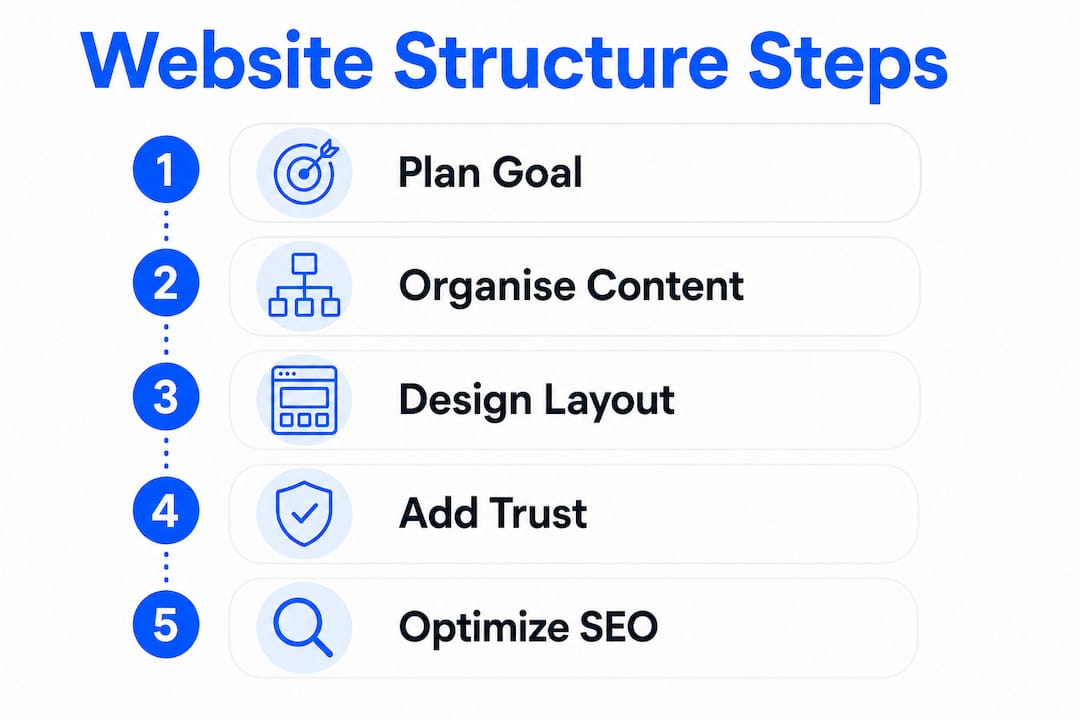
Your homepage hero section (the first thing visitors see) must answer three questions in under five seconds: what you do, who it is for, and what to do next. If a stranger cannot answer all three after a quick glance, your site is losing leads right now. Hero clarity is the single highest-impact fix most service websites need.
A strong hero section includes:
Generic “Services” pages with a list of offerings rarely convert. Conversion-focused service pages that follow a problem, solution, proof, and call-to-action structure outperform generic pages by four to eight times on average. Each service you offer deserves its own dedicated page built around the specific problem that client is trying to solve.
Add a short FAQ section to each service page. This reduces the friction that stops people from enquiring. Common objections like “How long does it take?” or “Do you service my area?” should be answered directly on the page, not buried in a contact form response.
Pro Tip: Include a starting price or price range on your service pages. Price signals qualify your leads before they contact you, which saves you time and attracts clients who are ready to buy.
Common design mistakes that kill conversions:
High-converting websites prioritise clarity, confidence, and convenience. Clear messaging, visible trust signals, and a frictionless way to get in touch are the three pillars every service site needs.
Local SEO is the practice of making your website visible to people searching for your services in a specific area. For Australian service providers, this is where most new client enquiries originate. The good news is that the basics are free and take less than a day to set up correctly.
Start with these foundational steps:
Mobile-first design and fast load speeds are critical for both SEO and client trust. Google uses mobile performance as a primary ranking signal. A site that loads slowly on a phone loses both the ranking and the client.
AI-powered search tools like ChatGPT and Perplexity now answer service queries directly. To appear in those answers, write your content in an answer-first format. Put the direct answer at the start of each section, then expand with detail. This structure benefits both human readers and AI systems scanning your content for featured snippets.
Pro Tip: Add a “Frequently Asked Questions” page to your website and write each answer in one to three clear sentences. This format is exactly what AI search tools pull when generating answers, which puts your business in front of clients who never click through to a website at all.
Consistent digital presence built on a verified domain, a complete Google Business Profile, and location-specific content reliably outperforms businesses that rely on social media alone. Social platforms change their algorithms constantly. Your website does not.
Launching without a checklist is how businesses go live with broken forms, slow pages, and missing tracking. Run through these checks before you publish:
https)Once live, your website needs measurement to improve. Google Analytics shows you which pages visitors land on, how long they stay, and where they leave. Google Search Console shows which search terms bring people to your site. Together, these two free tools give you enough data to make informed decisions without needing a marketing degree.
The most common post-launch mistakes service businesses make:
| Issue | Fix | Expected impact |
|---|---|---|
| No tracking installed | Add Google Analytics and Search Console on day one | Reveals which pages and keywords drive enquiries |
| Contact form never tested | Submit a test enquiry weekly | Prevents silent lead loss from broken forms |
| Content never updated | Schedule a quarterly content review | Maintains search rankings and client relevance |
| Slow page load speed | Compress images, use Australian hosting | Improves rankings and reduces bounce rate |
| Conversion leaks ignored | Audit your conversion points regularly | Can lift enquiry rates without a full redesign |
Connecting your website enquiry forms to tools like Xero or MYOB saves administrative time and reduces errors from day one. Automation does not replace strategy, but it does remove the manual steps that slow down your follow-up process.
Pro Tip: Review your top three pages every quarter. Check the bounce rate, time on page, and conversion rate for each. If a page gets traffic but no enquiries, it has a conversion problem, not a traffic problem. Fix the page before spending money on ads.
The goal is a website that turns visitors into clients consistently, not one that looks impressive at launch and then sits idle. Treat your website as a living part of your business, not a one-time project.
A professional service website generates consistent leads when it combines clear structure, local SEO, and regular improvement based on real data.
| Point | Details |
|---|---|
| Define your goal first | Choose one primary call-to-action before selecting a platform or designer. |
| Hero section clarity wins | Visitors must understand what you do, who you serve, and what to do next within five seconds. |
| Conversion-focused pages outperform brochures | Problem, solution, proof, and CTA page structure produces significantly more enquiries. |
| Local SEO requires consistent basics | A verified Google Business Profile, NAP consistency, and location pages drive local visibility. |
| Track and fix, do not just launch | Google Analytics and Search Console reveal conversion leaks that cost you leads every week. |
Building a website that genuinely generates leads takes more than a good template. It takes a clear strategy, the right structure, and the confidence to make decisions based on data rather than guesswork.
Mybworkshops offers practical, expert-led workshops built specifically for service business owners. The website strategy workshop walks you through planning your site structure, writing conversion-focused content, and designing for user experience, all within a framework that produces real results. If you want to see what other service businesses have built through the programme, the workshop examples page shows real outcomes from real business owners. Browse the full workshop catalogue to find the right starting point for where your business is right now.
A professional service provider website is a conversion-focused platform that presents your services clearly, builds trust with potential clients, and directs visitors toward a specific enquiry action such as a booking or phone call.
A professionally built service website in Australia typically costs between $5,000 and $10,000 as a one-off investment, while DIY platforms cost approximately $500 to $2,500 per year including hosting and domain fees.
A DIY platform site can go live in one to three weeks if your content is ready. A freelance build takes three to eight weeks, and an agency project typically takes six to sixteen weeks depending on scope and content approval speed.
Your homepage is the highest-priority page because it sets the first impression and must pass the hero section test: visitors should immediately understand what you do, who you serve, and what to do next.
Claim and complete your Google Business Profile, use consistent business details across all listings, add LocalBusiness schema markup to your site, create location-specific service pages, and actively collect Google reviews from satisfied clients.