

If you want to start using AI for content without wasting time or money, these five tools cover most small business needs: ChatGPT for drafts and brainstorming, Canva AI for visual content, Grammarly for polishing copy, Google Gemini for research and quick answers, and Otter.ai for transcribing client calls and meetings. Each is available in Australia, most have a free tier worth trying, and none requires a technical background to get started.
The case for starting small is real. Only about 11% of Australian small businesses have adopted AI so far, rising to 19% among innovation-active small businesses. That gap is not a sign that AI is too hard. It reflects a readiness gap, not a technology gap. A focused pilot on one task, one tool, is the lowest-risk way in.
Quick shortlist:
ChatGPT is the most versatile writing assistant on this list. You give it a prompt, it returns a draft. For a service business, that means blog posts, FAQ pages, email sequences, proposal templates, and social captions, all from a single conversation.
Best for: Long-form drafts, brainstorming, and repurposing existing content into new formats.
Pricing: Free tier (GPT-4o mini) available. ChatGPT Plus costs around USD $20/month (approximately AUD $31/month at current exchange rates). The free tier is enough to start.
Ease of use: Low learning curve. Type in plain English, review the output, edit for your voice.
Integrations: Connects via API to many CMS platforms; browser extensions available for Chrome.
Privacy note: Do not paste client names, tax file numbers, or sensitive personal details into prompts. Use placeholder names or pseudonymised examples instead.
Tip: Build a short “brand brief” in your first message — your business name, tone, ideal client, and location. Paste it at the start of every session to get outputs that sound like you.
Canva has layered AI features across its existing design platform, including Magic Write (text generation), Magic Design (template creation from a prompt), and background removal. For a business owner who is not a designer, it removes most of the friction from producing professional-looking social posts, pitch decks, and flyers.

Best for: Social media graphics, presentations, short video clips, and branded templates.
Pricing: Free tier available with limited AI credits. Canva Pro costs around AUD $22/month and unlocks full AI features, brand kits, and background removal.
Ease of use: Very low. The drag-and-drop interface is familiar to most users.
Integrations: Publishes directly to Instagram, Facebook, LinkedIn, and Pinterest. Connects with Google Drive and Dropbox.
Privacy note: Avoid uploading confidential client documents as design assets.
Tip: Set up a Brand Kit in Canva Pro with your logo, colours, and fonts. Every AI-generated template will pull from it automatically, keeping your visuals consistent.
Grammarly sits inside your browser and word processor and checks grammar, tone, clarity, and conciseness as you type. It is not a content generator, but it is the fastest way to lift the quality of everything you write, from a quick email to a full service page.
Best for: Proofreading, tone checking, and tightening copy across all platforms.

Pricing: Free tier covers basic grammar and spelling. Grammarly Pro costs around AUD $20/month and adds tone detection, clarity rewrites, and plagiarism checking.
Ease of use: Minimal. Install the browser extension and it works in the background.
Integrations: Works in Gmail, Google Docs, Microsoft Word, LinkedIn, and most web-based text fields.
Privacy note: Grammarly processes text on its servers. Avoid pasting sensitive client data or confidential contracts into it.
Tip: Use the tone detector when writing client proposals. If Grammarly flags your copy as “formal” when you want “confident and friendly,” it is a useful signal to rewrite before sending.
Google Gemini is Google’s AI assistant, built into Google Workspace (Docs, Gmail, Sheets, Meet). For any business already using Google tools, it is the path of least resistance into AI-assisted content. Ask it to summarise a long email thread, draft a reply, or pull key points from a document.
Best for: Research summaries, drafting within Google Docs and Gmail, and quick question-and-answer tasks.
Pricing: Basic Gemini is free with a Google account. Gemini Advanced (part of Google One AI Premium) costs around AUD $35/month and integrates deeply into Workspace apps.
Ease of use: Very low for existing Google Workspace users.
Integrations: Native in Google Docs, Gmail, Sheets, Slides, and Meet.
Privacy note: Google’s data handling policies apply. For sensitive business data, review Google Workspace’s data processing terms before using Gemini on confidential documents.
Tip: Use Gemini in Gmail to draft follow-up emails after client meetings. Paste your rough notes and ask it to write a professional summary with next steps.
Notion AI lives inside Notion’s workspace and helps you write, summarise, and organise content without switching tabs. For a solo operator managing SOPs, client onboarding docs, and content calendars in one place, it is a practical upgrade.
Best for: Internal knowledge bases, meeting summaries, SOPs, and content planning.
Pricing: Notion AI is an add-on at around USD $10/member/month (approximately AUD $15.50/month) on top of a Notion plan. Notion’s free plan is available; the Plus plan starts at around USD $10/month.
Ease of use: Moderate. Notion itself has a learning curve, but once set up, AI features are intuitive.
Integrations: Connects with Slack, Google Drive, GitHub, and Zapier.
Privacy note: Notion stores data on US-based servers by default. Check enterprise plan options if data residency matters for your business.
Tip: Create a “Brand Voice” page in Notion with your tone guidelines, key phrases, and client personas. Reference it in AI prompts to keep outputs consistent.
Otter.ai transcribes spoken audio into searchable text in near real time. For a service business owner who spends hours in discovery calls, client meetings, or workshops, it removes the need to take notes while staying present in the conversation.
Best for: Transcribing client calls, meetings, and interviews; generating meeting summaries.
Pricing: Free tier allows 300 minutes of transcription per month. Otter Pro costs around USD $16.99/month (approximately AUD $26/month) for 1,200 minutes and AI summaries.
Ease of use: Very low. Connect it to Zoom or Google Meet and it joins automatically.
Integrations: Zoom, Google Meet, Microsoft Teams, Salesforce, and Slack.
Privacy note: Audio recordings of client conversations may contain personal information. Inform clients that you are recording and transcribing, as required under Australian privacy obligations.
Tip: After a discovery call, ask Otter’s AI summary feature to pull out the client’s key pain points. Paste those directly into ChatGPT to draft a tailored proposal.
Copy.ai is built specifically for short-form marketing copy: ad headlines, email subject lines, product descriptions, and social captions. It uses templates and workflows to produce multiple variations quickly, which is useful when you are testing different messages.
Best for: Ad copy, social captions, email subject lines, and product or service descriptions.
Pricing: Free tier available (limited runs per month). Copy.ai Pro costs around USD $49/month (approximately AUD $76/month) for unlimited runs and team features.
Ease of use: Low. Template-driven interface guides you through each copy type.
Integrations: Connects with HubSpot, Salesforce, and Zapier; browser extension available.
Privacy note: As with other tools, avoid entering client PII into copy templates.
Tip: Run three to five variations of the same ad headline and test them in a small Meta Ads campaign before committing to one. Copy.ai makes generating those variations fast.
| Tool | Best for | Free tier | Typical paid cost (AUD/month) | Ease of use | Key integrations | Privacy note | Skill level |
|---|---|---|---|---|---|---|---|
| ChatGPT | Drafts, emails, blog posts | Yes | ~$31 (Plus) | Low | API, Chrome extension | No client PII in prompts | Novice |
| Canva AI | Social graphics, video, templates | Yes | ~$22 (Pro) | Very low | Instagram, Facebook, LinkedIn, Google Drive | No confidential docs | Novice |
| Grammarly | Proofreading, tone, clarity | Yes | ~$20 (Pro) | Minimal | Gmail, Google Docs, Word, LinkedIn | No sensitive contracts | Novice |
| Google Gemini | Research, Gmail/Docs drafts | Yes | ~$35 (AI Premium) | Very low (Google users) | Google Workspace suite | Review Workspace data terms | Novice |
| Notion AI | SOPs, knowledge base, planning | Yes (Notion free) | ~$15.50 (AI add-on) | Moderate | Slack, Google Drive, Zapier | US servers by default | Intermediate |
| Otter.ai | Meeting transcription, summaries | Yes | ~$26 (Pro) | Very low | Zoom, Google Meet, Teams | Inform clients before recording | Novice |
| Copy.ai | Ad copy, captions, subject lines | Yes | ~$76 (Pro) | Low | HubSpot, Salesforce, Zapier | No client PII in templates | Novice |
Tightest budget picks: ChatGPT (free tier) and Grammarly (free tier) together cover drafting and editing at zero cost. Canva’s free tier handles basic social graphics.
Lowest learning curve: Grammarly and Otter.ai require almost no setup. Install or connect, and they work in the background.
Start by identifying your actual bottleneck, not the tool you have heard the most about.
Ask yourself: where do you lose the most time each week on content? Common answers for service businesses include writing social posts, drafting client emails, creating proposals, or summarising meetings. Your answer points directly to the tool category you need first.
The tool you will actually use is the one that fits into your existing workflow. If you live in Gmail and Google Docs, Gemini is the obvious starting point. If you already use Notion, the AI add-on is a natural upgrade. Integration friction is often the daily time sink owners underestimate, so choose a tool that connects to the platforms you already use rather than adding a new login to manage.
Think about what you will be typing into these tools. Client names, addresses, health information, and financial details are personal information under the Australian Privacy Principles. Before you use any AI tool for client-related work, check where the vendor processes and stores data. Prefer platforms that document Australian or regional data centres, or that provide clear data processing agreements.
Red flags: No clear data processing policy, no option for data deletion, and no documentation of where servers are located.
Most owners can run a meaningful pilot for AUD $0–$50/month using free tiers. Content tools typically cost $20–$50 per user per month at the paid tier, which is well within reach for a solo operator. Enterprise AI platforms with custom models cost materially more and are rarely justified for a single-owner business.
Pro Tip: Before paying for any tool, use the free tier for two full weeks on one specific task. If it saves you more than an hour per week, the paid tier is worth considering.
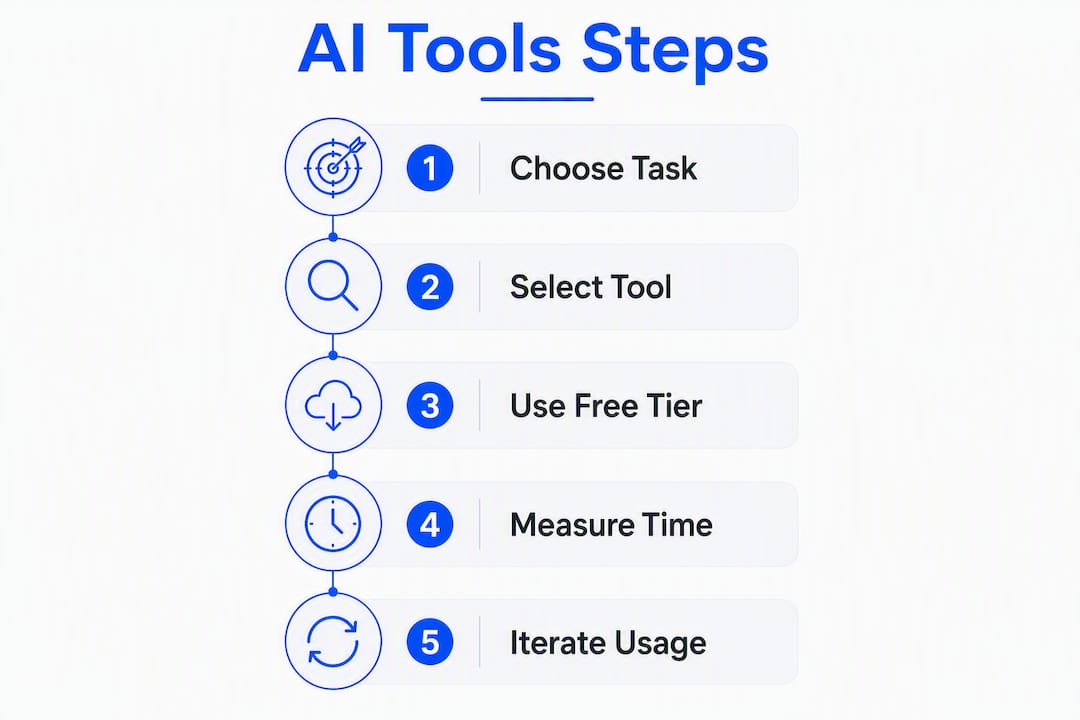
Among Australian businesses using AI, content generation is the leading use case, chosen by around 54% of adopters. That makes it the lowest-risk, highest-leverage place to start. The goal in your first few weeks is not to automate everything. It is to prove that one tool saves you real time on one task.
Choose something you do at least weekly: writing Instagram captions, drafting client follow-up emails, or summarising discovery calls. Write down how long it currently takes you.
For ChatGPT, write a reusable prompt that includes your business name, tone, service, and location. For Otter.ai, connect it to your Zoom account and let it run on your next three client calls. For Canva AI, set up your Brand Kit and create five social post templates.
AI outputs are first drafts, not finished copy. Read every output before publishing. Edit for your voice, check for accuracy, and note what prompts produced the best results. After two weeks, compare the time you spent against your baseline.
Metrics worth tracking:
Ready-to-use prompt templates for Australian service businesses:
For a blog introduction: “Write a 150-word introduction for a blog post about [topic] for [your service, e.g. a Sydney-based bookkeeper]. Use a friendly, professional tone. The reader is a small business owner who wants practical advice.”
For a social caption: “Write three Instagram captions for a [trade/service] business in [suburb/city]. Each caption should be under 100 words, include a call-to-action, and use Australian English.”
For a client follow-up email: “Write a follow-up email to a potential client after a discovery call. We discussed [brief summary]. Keep it warm, professional, and under 150 words.”
Pro Tip: Build a “brand knowledge base” document with your business name, suburb, key services, tone of voice, and three to five example sentences you love from your own writing. Paste it at the start of every AI session. Outputs become noticeably more on-brand within a few prompts.
For a more detailed walkthrough of AI tools for DIY business marketing, the Mybworkshops resource covers practical setup steps for service-based businesses.
Using AI tools responsibly means knowing what to keep out of them. The Australian Privacy Principles (APPs), administered by the Office of the Australian Information Commissioner (OAIC), govern how personal information must be handled by businesses. If you are uploading client data into an AI tool, those obligations apply to you.
Never upload to an AI tool:
Safer alternatives:
Australian privacy checklist:
For practical ways to use AI today without compromising client trust, the Mybworkshops guide covers this in plain language.
Most of the tools on this list have a genuinely useful free tier. The question is not whether to start free, but when the limits become a real constraint.
Typical price brackets (AUD approximate):
Free-tier limits to watch for:
When a paid tier becomes worth it: Once you are saving more than an hour per week on a task, the $20–$30/month cost is typically recovered within the first week of the month.
A note on GST: Most of these tools are billed by overseas vendors. Check whether GST is applied to your invoice. Under Australian tax rules, overseas digital services supplied to Australian consumers may be subject to GST. If you are registered for GST, confirm whether the vendor issues a tax invoice with an ABN or GST component, as this affects your input tax credit claims. When in doubt, check with your accountant or the ATO’s guidance on imported services.
For broader DIY marketing tool budgeting, the Mybworkshops guide covers what to prioritise at each stage of business growth.
One tool per job, one next step each.
For a guided approach to content creation workflows, the Mybworkshops 2026 guide walks through the human-in-the-loop checks that keep AI outputs on-brand.
The most effective approach to AI content tools for independent business owners is to start with one task, one tool, and a clear measure of success before expanding.
| Point | Details |
|---|---|
| Start with content generation | 54% of Australian AI adopters use AI for content generation, making it the lowest-risk entry point. |
| Free tiers are enough to start | ChatGPT, Grammarly, Canva, and Otter.ai all offer free tiers that cover basic tasks without any upfront cost. |
| Privacy obligations apply | Under the Australian Privacy Principles, never upload client PII, TFNs, or sensitive data into AI tools without checking the vendor’s data policy. |
| Match the tool to your bottleneck | Identify your biggest weekly time drain first, then choose the tool that directly addresses that task. |
| Mybworkshops workshops | Mybworkshops offers hands-on workshops with AI prompts, templates, and brand voice setup for service-based business owners wanting a guided pilot. |
Knowing which tools exist is one thing. Knowing how to set them up for your specific business, with your brand voice, your services, and your clients, is where most owners get stuck.

Mybworkshops workshops are built for exactly this. Each session is practical and hands-on, covering the setup steps, prompt templates, and brand knowledge base structure that make AI tools actually useful for a service business. You leave with working templates, not just theory. The workshops cover everything from copywriting with AI prompts to lead generation systems, all grounded in a clear business strategy rather than a collection of disconnected tools.
Browse the current workshop sessions to find the one that fits where your business is right now.
| Source | What it covers | Period |
|---|---|---|
| ABS: Business adoption of AI accelerates 2024–25 | Australian small business AI adoption rates (11% overall, 19% innovation-active) | 2024–25 |
| National AI Centre: AI adoption insights | Leading use cases for AI among Australian businesses; content generation at 54% | December 2025–February 2026 |
| OAIC: Australian Privacy Principles | Regulator guidance on handling personal information; applies to AI tool use | Current |
| NAB: SME AI adoption insights | Workforce preparedness gaps and recommended pilot approach for SMEs | 2024 |
| Mybworkshops: AI tools for DIY business marketing | Practical setup steps and workflows for service-based businesses | 2026 |
This article provides general information only. For advice specific to your business’s privacy obligations or tax treatment of software subscriptions, consult the OAIC guidelines or a qualified professional.
ChatGPT, Grammarly, Canva AI, Google Gemini, and Otter.ai cover the most common small business content tasks and are all available in Australia with free tiers to start.
Pick one repetitive task, choose the tool that directly addresses it, use the free tier for two weeks, and measure time saved before upgrading or adding a second tool.
No AI tool is entirely private, but tools with documented data processing policies, deletion options, and regional data centres offer stronger protections. Always check the vendor’s privacy policy against the Australian Privacy Principles before uploading client information.
Most owners can run a useful pilot for AUD $0–$50/month using free tiers or entry-level paid plans. Content tools typically cost $20–$50 per user per month at the paid tier, which is well within reach for a solo operator.
No. AI tools produce content faster, but they cannot define your positioning, understand your clients, or decide what to say. They work best when you already have a clear brand direction and use them to execute it more efficiently.